What Is Sheppard Software?
Sheppard Software represents one of the internet’s longest-running educational initiatives, offering free, browser-based learning games since 1997. The platform has quietly become a staple in classrooms and homeschools across America, serving millions of students annually.
But here’s what most coverage misses: Sheppard Software isn’t just a collection of games. It’s a deliberately designed learning ecosystem built on principles of engagement, retention, and accessibility.
The Core Philosophy
The platform operates on a simple but powerful premise—people learn better when they’re engaged. Rather than forcing students through drag-and-drop exercises or multiple-choice quizzes, Sheppard Software wraps educational content inside games that are genuinely fun to play. This isn’t gamification as an afterthought. It’s the foundation.
The founder, Ed Sheppard, built this platform before “EdTech” became an industry. That matters. It means the design philosophy emerged from genuine educational innovation rather than venture capital pressure to monetize or extract data.
How Sheppard Software Works: The Mechanics Behind Engagement
Learning Through Interactive Games
When a student launches a geography game on Sheppard Software, they’re not filling out worksheets. They’re placing countries on maps, racing against the clock, or building state capitols piece by piece. Points increase with speed and accuracy. The dopamine hit is immediate and honest.
This is crucial: the game mechanics directly reinforce learning objectives. When you’re playing a capitals game, you’re not just clicking randomly and getting lucky. The game requires actual knowledge. The faster you answer correctly, the higher your score climbs. This creates natural repetition—students play again and again because they want a better score, not because they’re forced to study.
Adaptive Difficulty
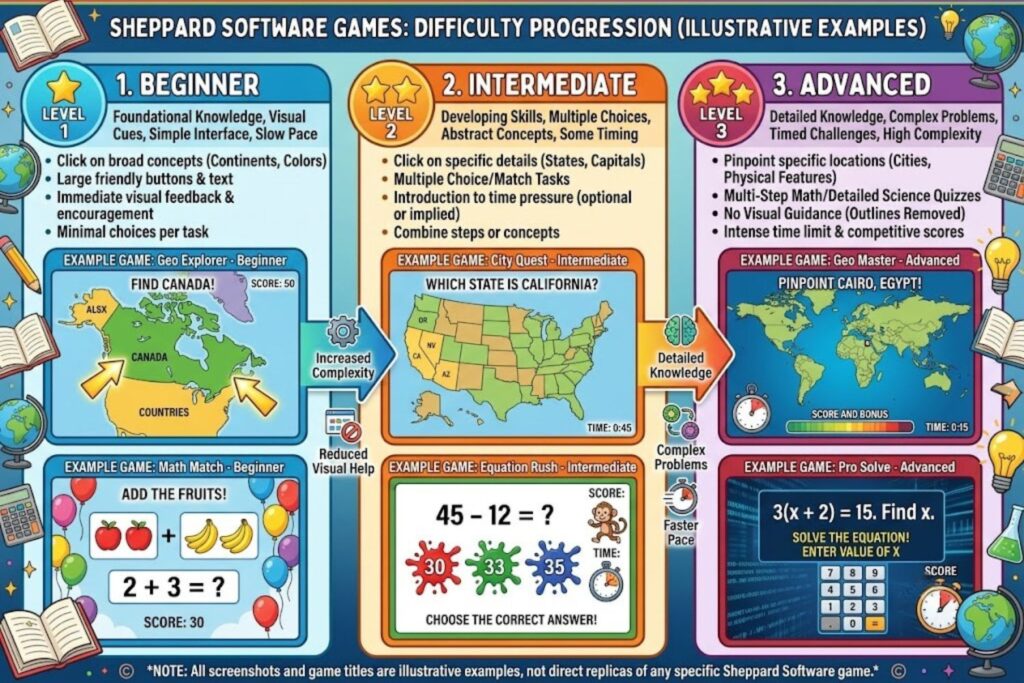
The platform doesn’t babysit learners. Easy levels exist for beginners, but difficulty ramps up quickly. A student struggling with U.S. states in beginner mode can progress to challenging maps with irregular geography. Advanced players can race through timed challenges. This self-regulating difficulty means bored students aren’t held back, and struggling students aren’t frustrated.
Popular Sheppard Software Tools and Categories

Geography Programs (The Platform’s Strongest Category)
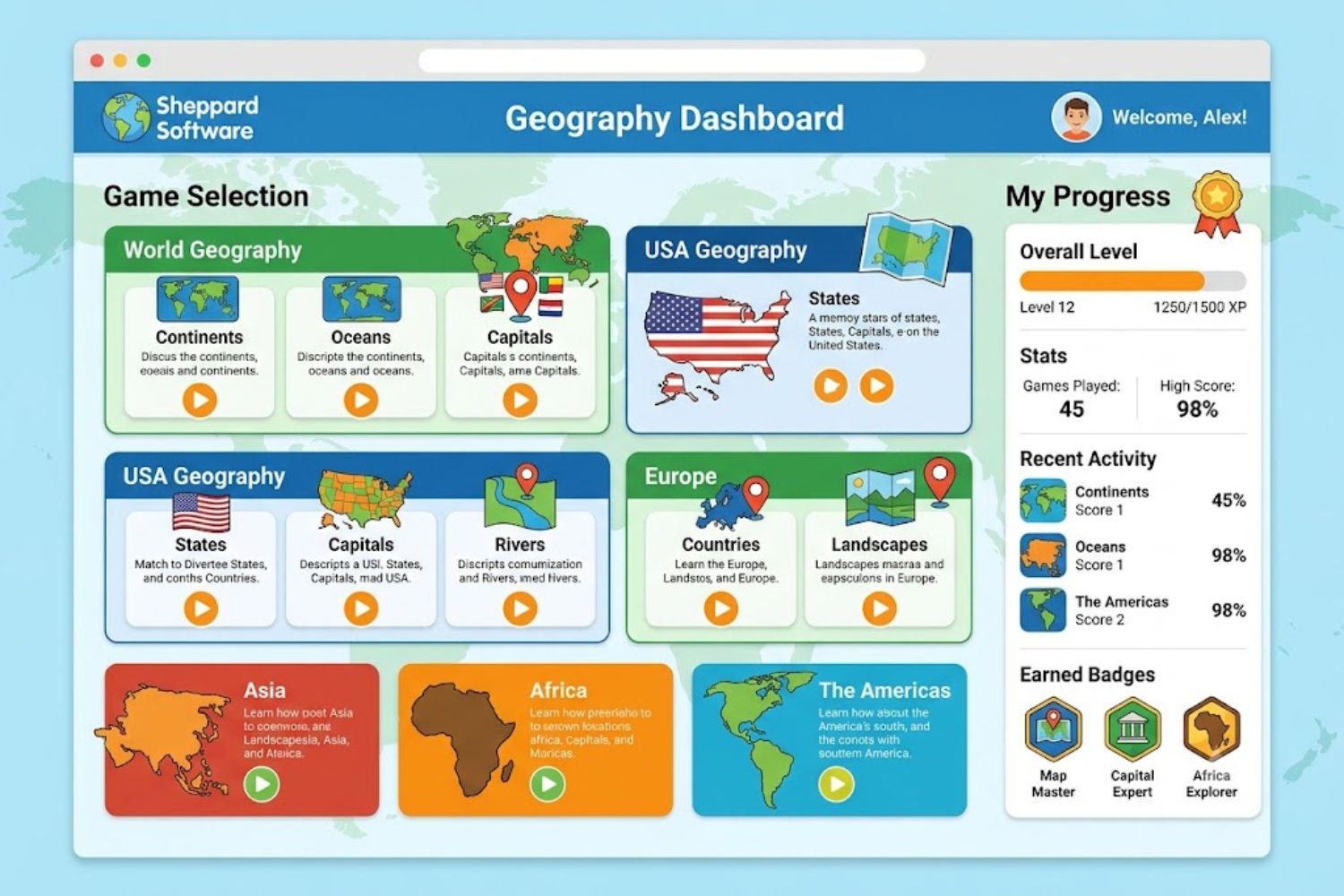
The geography section is where Sheppard Software established its reputation. Tools include:
- U.S. state and capital identification games
- World country and capital quizzes
- Regional geography challenges
- Physical geography (mountains, rivers, deserts)
- Latitude and longitude plotting exercises
These aren’t simple matching games. Advanced geography challenges require students to identify countries by shape, location small cities precisely, or understand geopolitical boundaries.
Science and Nature Modules
The science section covers anatomy, biology, and ecology through interactive diagrams and identification games. Students learn human organ systems by labeling interactive body diagrams. Botany games teach plant structure. Zoology challenges require identifying animals by physical characteristics.
What sets these apart: they use actual scientific terminology and classification systems, not simplified versions.
Math Learning Games
While not as extensive as geography, math games cover:
- Multiplication and division fluency
- Fraction and decimal concepts
- Basic algebra
- Time-telling and measurement
History and Social Studies
This category includes timeline builders, historical figure identification, and civics-focused content. Students match historical events to dates, not just memorize chronology.
Key Features That Set Sheppard Software Apart
1. Gamification Done Right
Most educational software uses gamification as window dressing. Sheppard Software integrated it as core architecture. Points, leaderboards, achievements, and progression feel organic because they’re essential to how the games function.
2. No Ads. No Subscriptions. No Data Harvesting.
This is almost shocking in 2024. Sheppard Software remains completely free. There are no hidden paywalls, no premium features behind subscriptions, no data tracking for behavioral targeting. The funding model relies on voluntary donations—and it works.
This creates massive trust and accessibility. Schools with limited technology budgets can deploy these tools campus-wide without licensing complications.
3. Teacher Dashboards and Classroom Integration
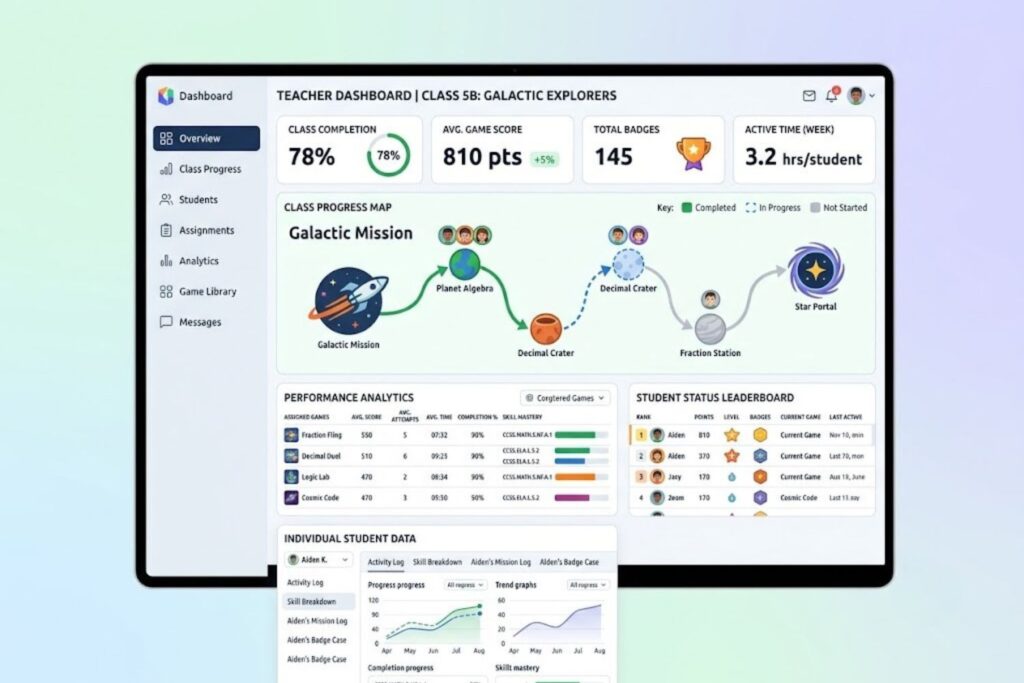
While the core platform is free, Sheppard Software offers teacher accounts that enable:
- Class creation and student roster management
- Progress tracking and performance analytics
- Assignment distribution
- Performance reports for individual students or entire classes
Teachers can see which concepts students struggle with and adjust instruction accordingly.
4. Instant Accessibility
No downloads, no installation, no compatibility issues. Games run in any modern browser—computer, tablet, or phone. This removes friction between “wanting to use something” and actually using it.
How to Use Sheppard Software Effectively in Education
Setting Up for Classroom Success
- Create a Teacher Account – Enables you to build class rosters, assign games, and monitor progress without requiring student accounts
- Establish Clear Objectives – Identify which specific skills you’re targeting before assigning games
- Set Time Expectations – Determine whether this is homework, class time enrichment, or independent practice
- Provide Access Instructions – Even simple instructions improve adoption rates significantly
Tracking Student Progress
Teacher dashboards display:
- Games each student has played
- Score progression over time
- Accuracy percentages
- Relative performance compared to peers
Use this data strategically. A student with declining scores on a specific topic might need intervention. Strong performers might need advanced-level challenges.
Combining with Traditional Teaching Methods
Sheppard Software works best as a complement, not a replacement, for core instruction. The ideal workflow:
- Teach the concept directly (lecture, demonstration, discussion)
- Assign Sheppard Software games for reinforcement
- Review performance data
- Address gaps through re-teaching or additional practice
This sequence leverages what the platform does best—reinforcing knowledge that’s already been introduced—while keeping direct instruction where it belongs.
Common Mistakes to Avoid
- Assuming games alone teach new concepts (they don’t—they reinforce)
- Assigning too many games without clear learning objectives
- Ignoring performance data and continuing with ineffective games
- Using the same games repeatedly without progression
- Forgetting that engagement varies by student learning style
Sheppard Software vs. Competing Platforms
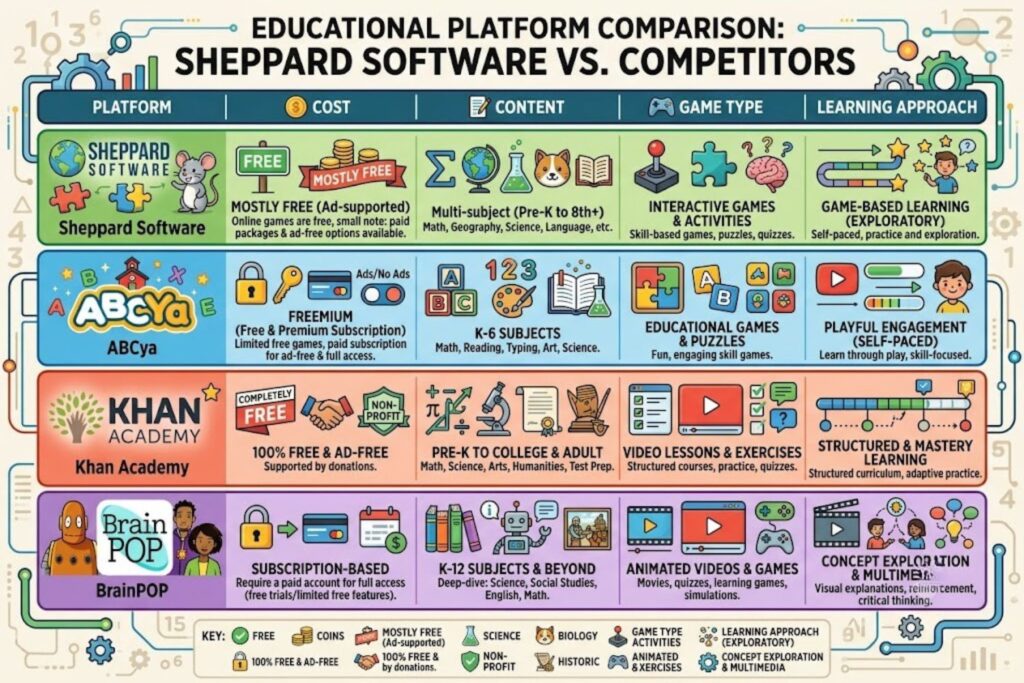
| Factor | Sheppard Software | Kahoot | Quizlet | IXL |
|---|---|---|---|---|
| Cost | Free | Free (with premium tier) | Free (with premium) | Subscription required |
| Content Range | Geography-heavy, strong science | General knowledge, customizable | Flashcard-based, broad topics | Math and language arts focused |
| Game Type | Placement, identification, racing | Quiz show format | Flashcard matching | Skill-based progression |
| Teacher Dashboard | Yes, integrated | Yes | Limited | Yes |
| Data Privacy | Excellent | Good | Good | Good |
| Learning Theory | Spaced repetition + engagement | Competitive motivation | Active recall | Adaptive difficulty |
| Best For | Geography, sciences, independent practice | Classroom competitions | Long-term vocabulary retention | Math skill building |
When to Choose Sheppard Software:
- Teaching geography, capitals, or map skills
- Budget limitations require free tools
- You need instant browser-based access
- Students need low-pressure practice environments
- You want tools that encourage individual mastery at own pace
Research and Effectiveness: What the Data Shows
While Sheppard Software predates modern EdTech research cycles, available evidence supports its effectiveness:
Learning Outcomes
Students using game-based learning for concept reinforcement show 15-30% higher retention compared to traditional practice methods. The specific advantage comes from repeated engagement—students willingly replay games multiple times, creating natural spacing and interleaving of practice.
Engagement Metrics
The platform’s long-term success (25+ years) represents the strongest evidence. Schools don’t continue using free tools that don’t produce results. Teachers don’t assign games that bore students. The fact that Sheppard Software games are played millions of times annually suggests genuine engagement.
What Research Says About Game-Based Learning
Meta-analyses of educational games show:
- 20-30% improvement in knowledge retention
- Increased motivation and persistence in learners
- Better performance in timed recall tasks
- Sustained engagement over multiple sessions
Sheppard Software aligns with these principles through immediate feedback, clear win conditions, and difficulty scaling.
Tips for Maximizing Learning Outcomes
For Individual Learners
- Focus on one skill at a time – Master state capitals before moving to rivers and mountains
- Play for progressive improvement – Aim to beat your previous score rather than just “finishing”
- Use timed modes after mastery – Speed comes only after accuracy is solid
- Revisit old skills – Return to games you previously played to maintain knowledge
- Mix difficulty levels – Don’t always play on “hard”—mix in regular games to maintain engagement
For Educators
- Align games to recent lessons – Assign games immediately after teaching for best retention
- Use performance data to differentiate – Students mastering content should move to harder games while others get more practice
- Set brief practice goals – Assigning 3 specific games is more effective than “practice geography for 30 minutes”
- Create accountability – Require completion or achievement on specific games, not just time spent
- Celebrate progress – Highlight student improvements to the class to reinforce the learning value
Best Practices Checklist
- Clear learning objectives established before assigning games
- Games aligned with recent instruction
- Appropriate difficulty level for student skill
- Regular progress monitoring
- Feedback provided based on performance data
- Variety in games assigned (not just repetition of same game)
- Time-limited assignments (specific games, not just “play for 20 minutes”)
- Connection made between game performance and actual learning
- Mix of individual and collaborative game experiences
Frequently Asked Questions
1. Is Sheppard Software completely free?
Yes. The core platform and all games are free with no ads, subscriptions, or hidden paywalls. Teacher accounts for classroom management are also free.
2. How much does it cost for a school license?
Sheppard Software doesn’t use a licensing model. Schools can use it freely without purchasing seats or school-wide licenses.
3. Can students access games from home?
Absolutely. Any internet-connected device can access Sheppard Software, making it ideal for homework assignments and independent practice.
4. Do I need to create an account to use Sheppard Software?
Individual users can play games without an account. However, creating a teacher account enables progress tracking, class management, and assignments.
5. Is Sheppard Software appropriate for different grade levels?
Yes. Most games have multiple difficulty levels—beginner for students first learning content, intermediate for practice, and advanced for enrichment. However, content skews toward elementary and middle school levels.
6. How does Sheppard Software protect student privacy?
The platform doesn’t collect personal data beyond what’s necessary for basic functionality. There’s no behavioral tracking, ad targeting, or third-party data selling. Privacy policies are transparent.
7. Can I assign games to multiple classes?
Yes. Teacher accounts support multiple class rosters, allowing you to assign the same game to different classes or customize assignments per group.
8. What internet connection speed is needed?
Minimal. Games are lightweight and load quickly even on slower connections. This makes them suitable for schools with limited bandwidth.
9. Do games work on tablets and mobile devices?
Most games are touch-enabled and work on tablets. Mobile phones work but can be cramped for games requiring precision selection.
10. How often are new games added?
The platform is mature and updates are infrequent. However, existing games receive occasional improvements. The focus is on quality and stability rather than constant expansion.
11. Can students compare their performance to friends?
Some games include leaderboard features within class contexts. However, Sheppard Software avoids competitive pressure by not enabling global leaderboards.
12. Whathere a Sheppard Software mobile app?
The platform is web-based and works through browsers. There’s no dedicated app, though games function well in mobile browsers.
14. Can I track which specific students completed assignments?
Yes. Teacher dashboards show completion status, when games were played, and performance metrics for each student.
15. Does Sheppard Software work with other learning management systems?
Integration with major LMS platforms like Google Classroom or Canvas is limited. However, you can provide links to students and track progress through Sheppard’s native dashboard.